

Description
This is an app for all Digi partners (Distributor & Dealer) to access Communications Portal conveniently using mobile phone.
Install this app to enjoy seamless experience of access Communications Portal via mobile phone. You will be able to view promotions, reports, submit request, and many more.
Download the app today and accessing Communications Portal anytime, anywhere!
What's New
1.0.8 - 8 February 2018
Enhancement to support iPhone X
1.0.7 - 5 February 2018
Bug fixed - Blank screen issue in IOS 11.1 and above
1.0.6 - 12 September 2017
Bug fixed - File selection issue due to IOS 10.
1.0.5 - 15 May 2017
Bug fixed - Document Download when the link is a type of attachment.
Help Guide
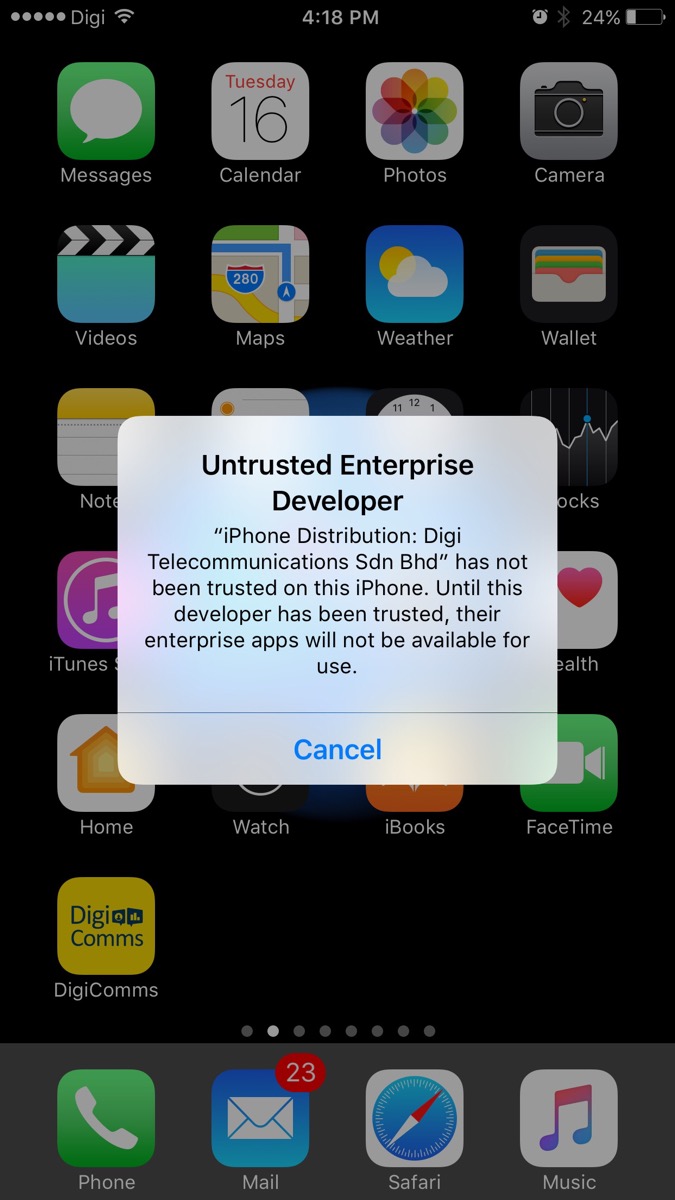
Untrusted Entreprise Developer
1. For first time installation, when click on the DigiComms app, the Untrusted Enterprise Developer will popup. To resolve this issue, select on Cancel.
2. Go to Settings -> General -> Profile & Device Management.
3. Select on Digi Telecommunications Sdn Bhd option.
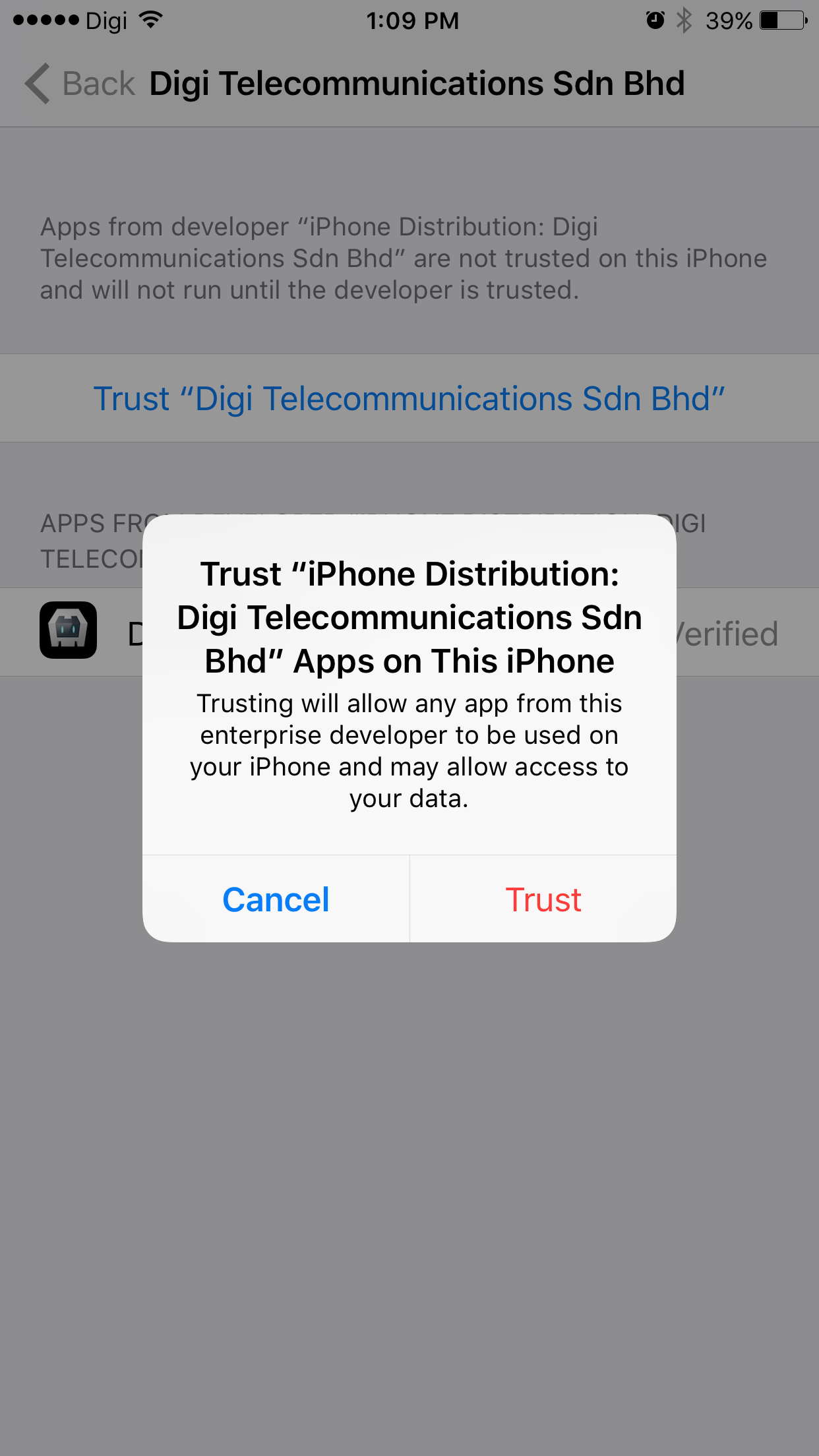
4. Select on Trust “Digi Telecommunications Sdn Bhd” option.
5. Select Trust to allow DigiComms App on this phone.


- LOGOUT
- CHANGE
PASSWORD - LANGUAGE